

Ir para conteúdo
View in the app

A better way to browse. Learn more.

Portal do Host

A full-screen app on your home screen with push notifications, badges and more.

To install this app on iOS and iPadOS
  1. Tap the Share icon in Safari
  2. Scroll the menu and tap Add to Home Screen.
  3. Tap Add in the top-right corner.
To install this app on Android
  1. Tap the 3-dot menu (⋮) in the top-right corner of the browser.
  2. Tap Add to Home screen or Install app.
  3. Confirm by tapping Install.

SkWai1822

Membro
  • Registro em

  • Última visita

  1. Ah sim como eu estou começando nesse ramo eu queria saber se é uma bom pegar um smtp do google (gmail) vi que ele tem um limite de 500 emails diarios mas acho que nao vou conseguir bater isso de primeiro momento
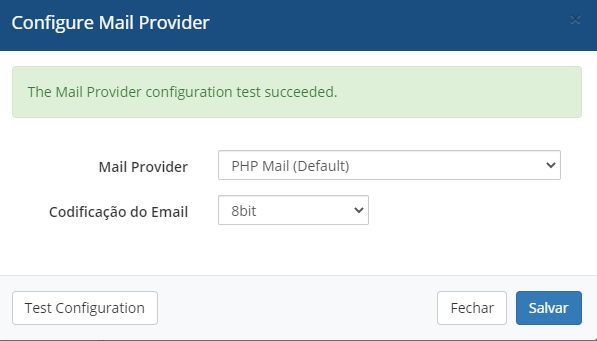
  2. Ola me chamo andrey e estou usando o whmcs 8x mas ele nao ta conseguindo enviar emails fui em (Opçoes > Configuraçao Geral > Email) e coloquei do jeito que esta abaixo e fiz o teste deu tudo certo nao sei por que esse erro, eu utilizo um dominio .tech e o proprio dominio me deu 2 emails gratis entao nao uso o email do cyberpanel se me ajudarem agradeço
Informação Importante

Concorda com os nossos termos?

Configure browser push notifications

Chrome (Android)
  1. Tap the lock icon next to the address bar.
  2. Tap Permissions → Notifications.
  3. Adjust your preference.
Chrome (Desktop)
  1. Click the padlock icon in the address bar.
  2. Select Site settings.
  3. Find Notifications and adjust your preference.