Ir para conteúdo
View in the app

A better way to browse. Learn more.

Portal do Host

A full-screen app on your home screen with push notifications, badges and more.

To install this app on iOS and iPadOS
  1. Tap the Share icon in Safari
  2. Scroll the menu and tap Add to Home Screen.
  3. Tap Add in the top-right corner.
To install this app on Android
  1. Tap the 3-dot menu (⋮) in the top-right corner of the browser.
  2. Tap Add to Home screen or Install app.
  3. Confirm by tapping Install.

Cibele Machado

Membro
  • Registro em

  • Última visita

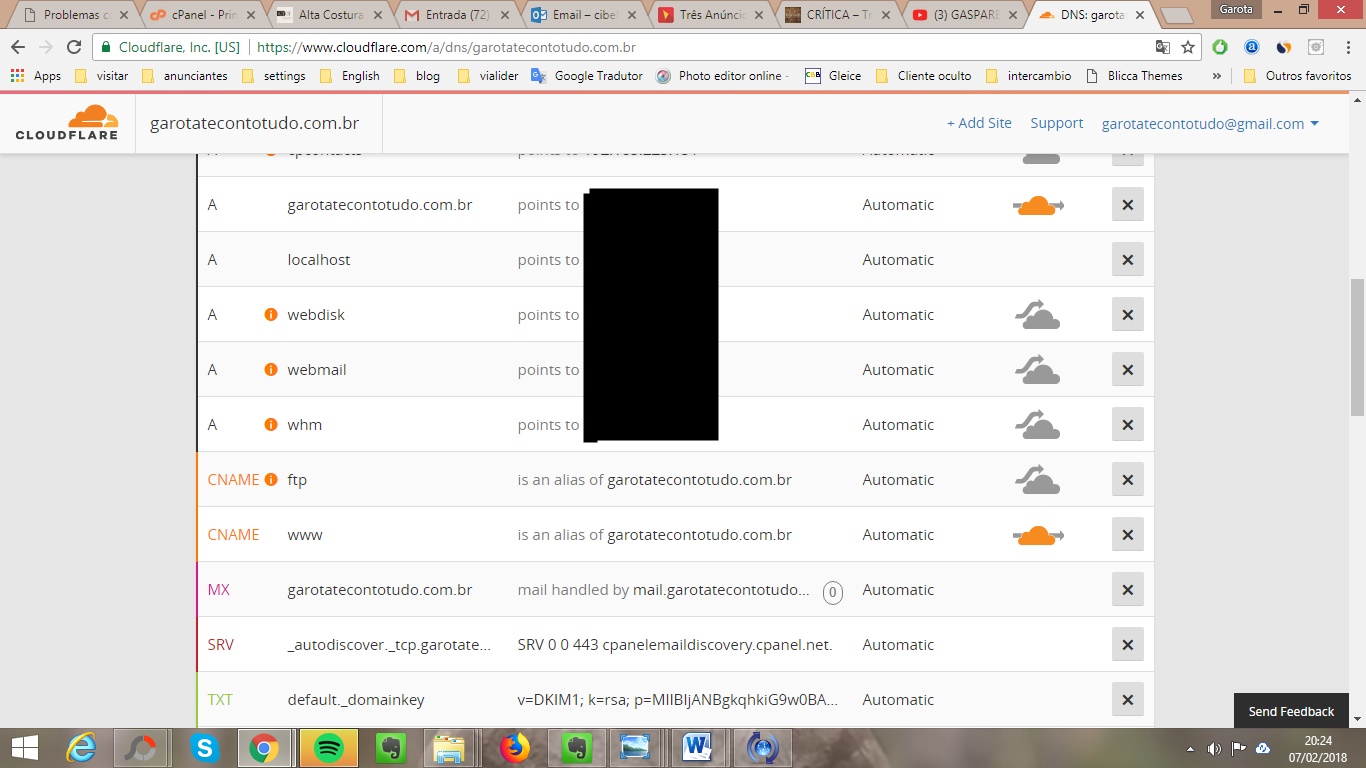
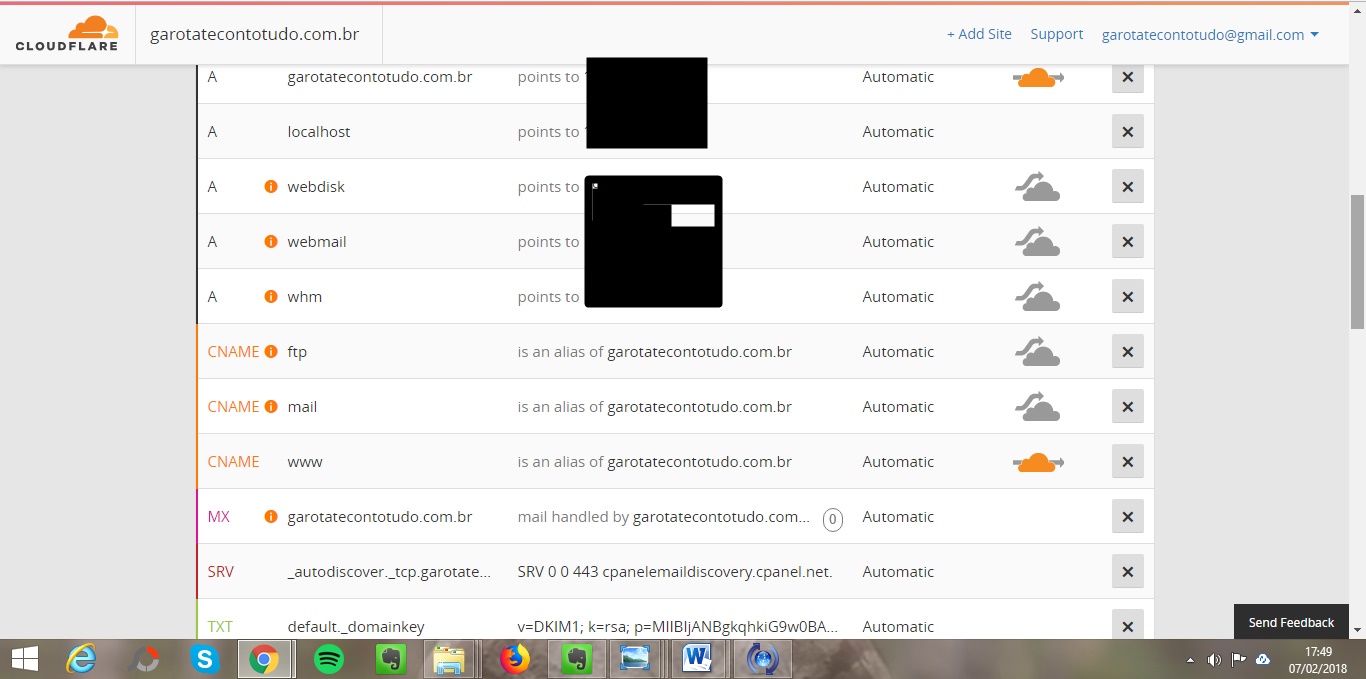
  1. Então, rs... eu não sei mexer ... mas vamos lá. Fiz a alteração do CNAME e no MX(veja se está correto). Não entendi o A E poderia fazer um passo a passo? Com certeza ajudaria muita gente. Pois rodei a internet e só encontrei o mesmo problema sem solução. Obrigada!
  2. Print da tela! Eu alterei corretamente no Registrobr. Senão meu site não estaria no ar. rs.. Mas o email para enviar não funciona. Muito obrigada por me ajudar.
  3. Estou completamente perdida. Meu site toda hora caia. O pessoal da Hostgator me orientou a migrar para o cloudflare. Fiz isso. O problema é que eu não consigo enviar email mais com meu dominio. Apenas receber. E não sei como configurar. Alguém me ajude. Urgente!!

Informação Importante

Concorda com os nossos termos?

Configure browser push notifications

Chrome (Android)
  1. Tap the lock icon next to the address bar.
  2. Tap Permissions → Notifications.
  3. Adjust your preference.
Chrome (Desktop)
  1. Click the padlock icon in the address bar.
  2. Select Site settings.
  3. Find Notifications and adjust your preference.